GPT Image 2.5 logoGPT Image 2.5
  • Features
  • Blog
  • Pricing
Create now

GPT Image 2.5 AI Image Generator

Create stunning AI images in seconds with GPT Image 2.5. Generate from text, combine multiple reference images, and make precise edits with simple prompts.

Reference images (optional)

GPT Image 2.5
5 credits

What GPT Image 2.5 Can Create?

Product Photography

Photo Makeovers

Characters & Storyboards

Sketch to Image

Infographics

Posters

Explore GPT Image 2.5 Capabilities

From complex prompts and multiple reference images to precise edits and lifelike visuals, create with greater control and consistency.

01 / CAPABILITY

Turn complex instructions into coherent images

GPT Image 2.5 understands detailed prompts and the role of each reference. It brings your requirements for subjects, spatial relationships, text and visual hierarchy together in one coherent composition. So you can bring your creative vision to life with GPT Image 2.5.

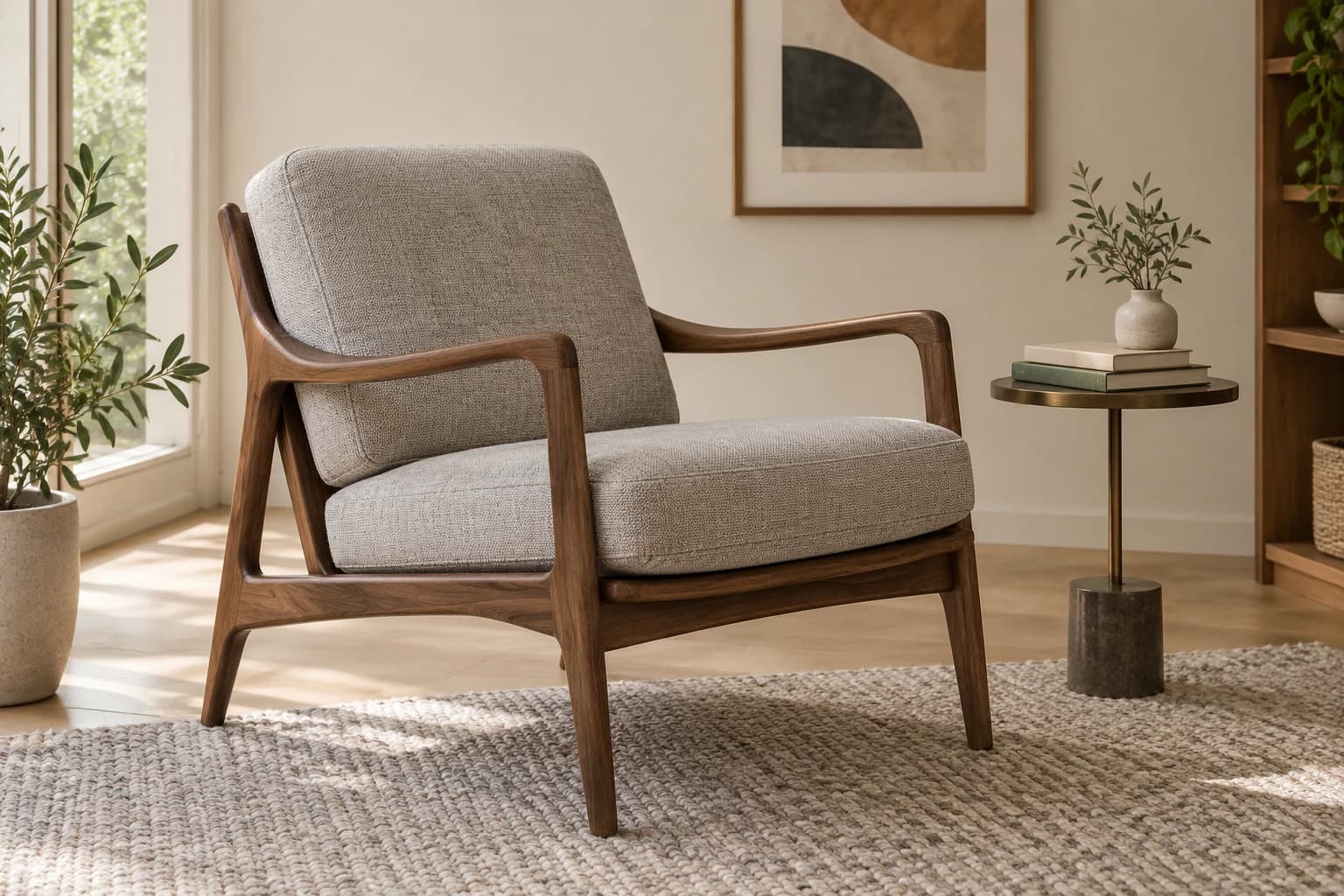
The brief combined @image1’s style, @image2’s layout and @image3’s character. The result follows each reference’s assigned role, bringing all three directions into one room.

Case details are coming soon.

Man reading on the left sofa; crossbar window behind and upholstered armchair on the right
02 / CAPABILITY

Precise edits that preserve your original

Tell GPT Image 2.5 what to change and what to keep. It makes targeted edits and follows your instructions to preserve everything else—without redrawing the image, changing faces, warping products, shifting backgrounds, or rewriting text.

The goal was to replace gray fabric with brown leather. The result changes the upholstery while keeping the wooden frame and room largely intact.

Case details are coming soon.

Before: fabric chair and full roomAfter: brown leather chair and full roomBeforeAfter‹ ›
03 / CAPABILITY

Keep multiple subjects consistent in new scenes

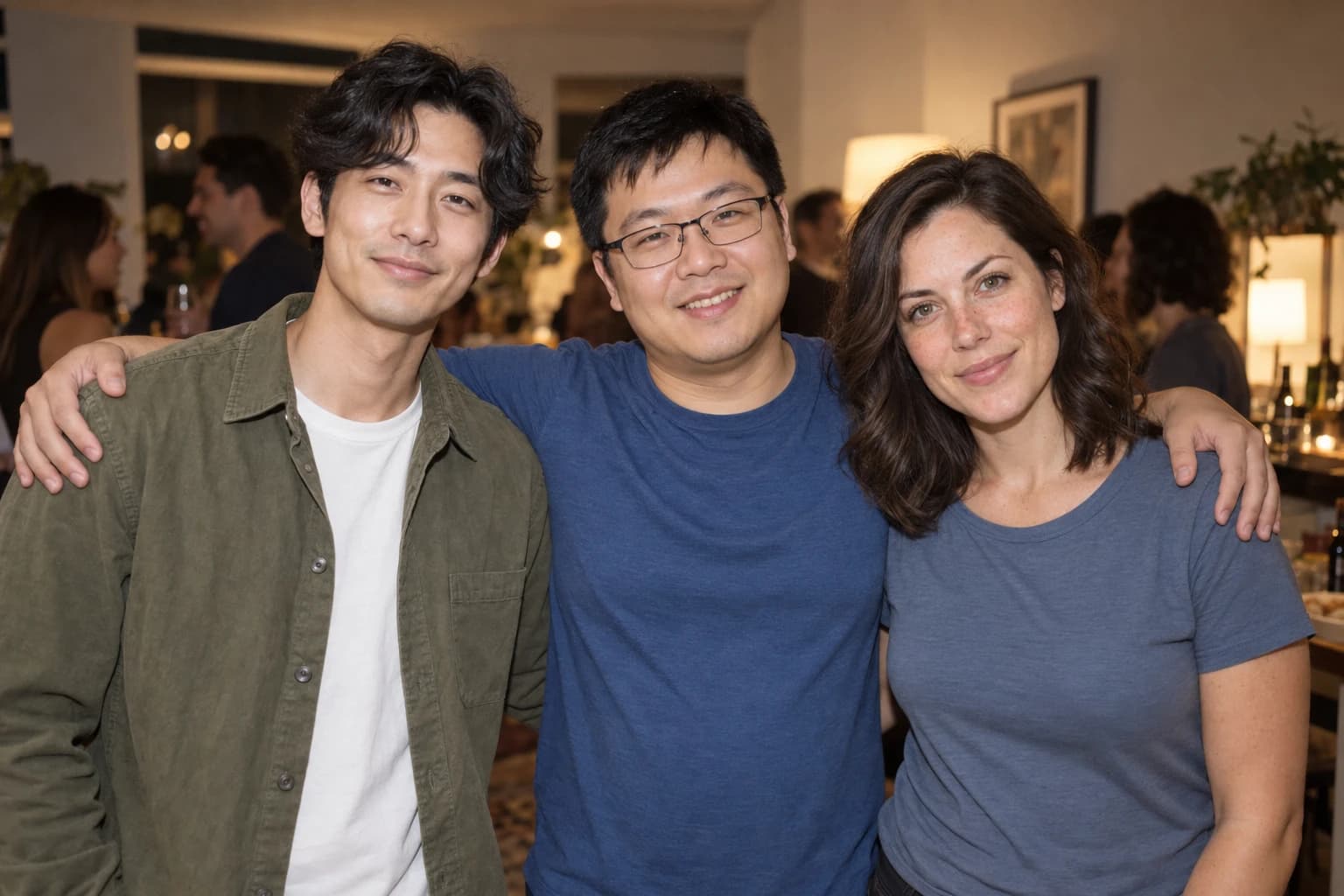
Bring people, pets or products from separate references into one image. GPT Image 2.5 maintains subject consistency while adapting the scene, style and composition. This helps you create more natural, consistent images with multiple subjects.

The goal was to bring three separate portraits into one party photo. The result preserves each person’s facial features and distinct appearance in the shared scene.

Case details are coming soon.

Three friends together in a party photograph
04 / CAPABILITY

Create lifelike images with precise text

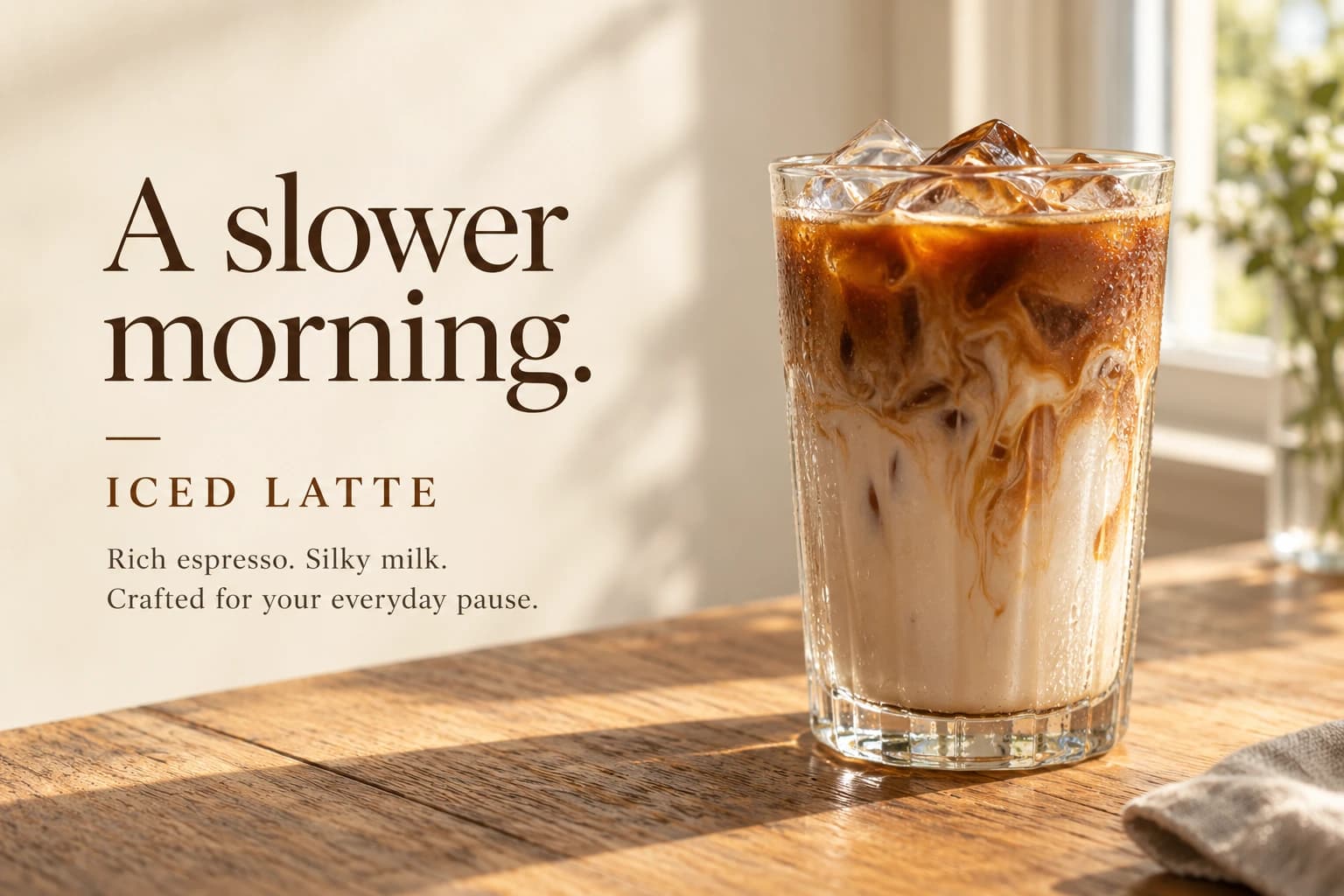
Create photorealistic images with natural lighting and rich textures. GPT Image 2.5 also renders your wording, typography and layout as part of the finished image.

The goal was a realistic iced latte ad with carefully styled text. The result pairs wood grain, reflective ice and glass condensation with accurate wording and a clear typographic hierarchy.

Case details are coming soon.

Iced latte campaign with original headline and supporting text

How to Use GPT Image 2.5 Generator

Turn your idea into stunning images in three steps.

  1. 01

    Describe your idea

    Describe the image you want to create. Add reference images if needed, or start with an example.

  2. 02

    Set up and generate

    Choose your preferred settings, then click Generate to bring your idea to life.

  3. 03

    Review and download

    Review your image and download the result. Want to refine it? Adjust your prompt and generate again.

GPT Image 2.5 Pricing Plans

Choose a subscription or a one-time credit pack to fit your workflow.

Cancel anytime · No hidden fees · Failed generations refunded

Hobby

$8.3/month

$99.6/year billed yearly

  • 1,500 credits per month
  • Up to 250 images per month
  • Faster generation speed
  • No watermark
  • Commercial use
  • Priority support
  • Private Generation
Most Popular40% off · Save $240.0

Basic

$29.9/month$49.9/monthMonthly billing price $49.9 per month

$358.8/year billed yearly

  • 6,000 credits per month
  • Up to 1,000 images per month
  • Faster generation speed
  • No watermark
  • Commercial use
  • Priority support
  • Private Generation
Best Value37.7% off · Save $361.2

Pro

$49.8/month$79.9/monthMonthly billing price $79.9 per month

$597.6/year billed yearly

  • 10,000 credits per month
  • Up to 1,666 images per month
  • Faster generation speed
  • No watermark
  • Commercial use
  • Priority support
  • Private Generation

Secure checkoutstripe

Credits activate instantly for GPT Image 2.5 image generation and editing workflows.

10 free credits on signupInstant credit deliveryWorks with GPT Image 2.5

Supported payment methods

  • Mastercard
  • VISA
    Visa
  • AMEX
    American Express
  • Apple Pay
  • Google Pay
  • link
    Link
  • UnionPay
    UnionPay
  • JCB
    JCB
  • DISCOVER
    Discover
  • SEPA
    SEPA

For inquiries or assistance, please contact us at support@gptimage25.online

Frequently Asked Questions

GPT Image 2.5 is OpenAI's latest family of image generation and editing models, introduced on September 8, 2026. It can create new images from text or reference images and make precise edits to existing images.

Compared with GPT Image 2.0, GPT Image 2.5 generates images faster with sharper details, richer textures, more natural lighting, and greater realism. It also handles complex reference combinations more reliably, follows specific compositions, matches styles and color palettes, preserves subjects more faithfully, and makes precise product, character, and image edits.

Yes. New accounts receive 10 free credits as a one-time welcome gift, so you can try image generation for free.

Beyond the examples above, you can create social media visuals, video thumbnails, presentation illustrations, packaging concepts, website or app design concepts, brand logos, advertising visuals, product designs, product images with transparent backgrounds, picture books, and comics. Explore any idea or use case that can be expressed visually through images.

Yes. You can upload up to 16 reference images in JPG, PNG, or WebP format, each under 50 MB. Describe how you want to use each image and which details you want to preserve.

Yes. Your reference images, prompts, and generated images are kept private and are not publicly displayed. We do not sell your data. See our Privacy Policy for details about how your data is processed and retained.

Yes. Images generated with a paid subscription or one-time credit pack can be used for personal and commercial projects, subject to our Terms of Service. You are responsible for ensuring that your uploaded materials and final outputs do not infringe third-party rights.

Check the credit estimate next to the Generate button before submitting. Higher resolution or quality, longer prompts, and more reference images increase credit usage. For more credits, choose a subscription or buy a one-time credit pack.

Subscription credits are issued each monthly cycle, including on yearly plans. Unused credits expire at the next cycle and do not roll over. One-time credit packs never expire.

If a generation is confirmed as failed, the credits used for that request are automatically returned to your account. Returned credits keep their original expiration date, if any.

Yes. You can cancel at any time in your account's billing settings. Cancellation stops the next automatic renewal, while your subscription remains active until the end of your paid period.

Try GPT Image 2.5 for Free

Create lifelike images faster and refine every detail to match your vision with GPT Image 2.5.

Start Creating Now↗
GPT Image 2.5 logoGPT Image 2.5

Generate AI images from text, combine multiple reference images, and make precise edits.

Product

  • Features
  • Pricing
  • FAQ

Resources

  • Blog

Contact

  • support@gptimage25.online

Legal

  • Privacy Policy
  • Terms of Service
© 2026 GPT Image 2.5. All rights reserved.